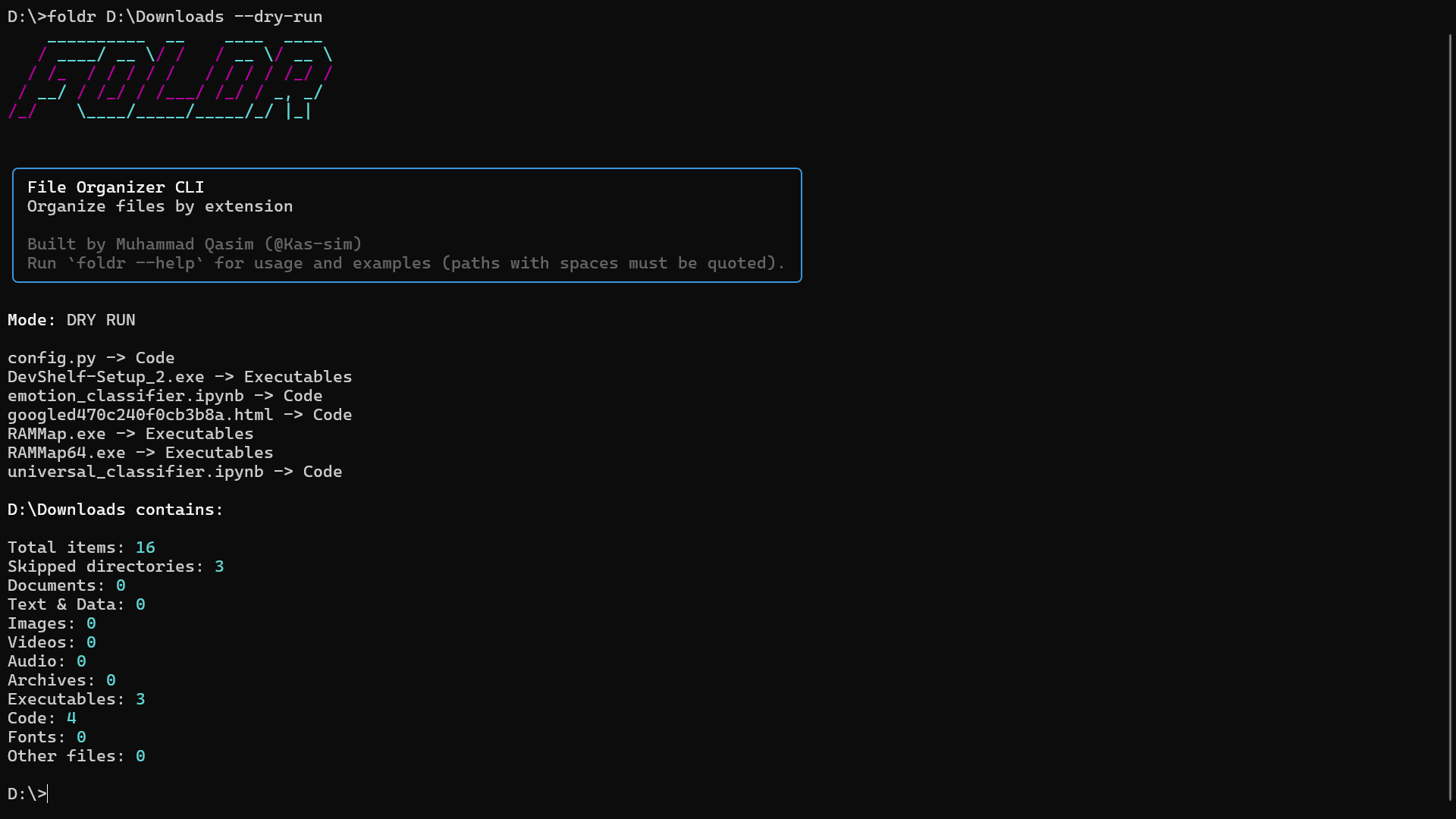
Overview
Foldr is a lightweight, safety-first command-line tool that organizes files in a directory by extension.
It is designed for predictability and user trust, not automation shortcuts.
Every destructive operation is explicit, inspectable, and reversible via dry runs.
pip install foldr
Why Foldr Exists
File organization scripts usually fail in two ways:
- they assume perfect input paths
- they silently move files without visibility
Foldr exists to solve a small but real problem:
Make file organization safe, explicit, and human-readable from the terminal.
The tool prioritizes:
clear error messages
defensive input handling
readable terminal output
zero hidden behavior
Usage
foldr "D:\My Downloads" --dry-run
foldr ~/Downloads
Paths with spaces must be quoted
--dry-runshows all actions without moving filesDesign Highlights
Safety-first execution
Explicit dry-run mode prevents accidental data loss.
Defensive CLI parsing
Detects unquoted paths and provides corrective guidance instead of failing silently.
Rich Terminal UX Uses structured panels and clear summaries for readability.
Predictable behavior No recursion into subdirectories, no implicit deletes, no surprises.
Distribution
Published on PyPI
Installed via pip
Single-command entry point
PyPI: https://pypi.org/project/foldr/ Github: https://github.com/Kas-sim/Foldr
Positioning Within My Work
Foldr represents my approach to developer tooling: small, focused utilities built with the same care as larger systems.
While my primary focus is on retrieval systems and applied AI, tools like Foldr demonstrate:
attention to edge cases
respect for user workflows
production-ready polish
No broken fences. No gimmicks.
Useful Links
- PyPI Package: https://pypi.org/project/foldr/
- Source Code: https://github.com/Kas-sim/Foldr
- Developer Tools Philosophy: Small, defensive utilities built alongside larger systems
- Related Systems Work:
- DevShelf — Classical Search Engine
https://kas-sim.github.io/systems/devshelf/ - MQNotebook — Enterprise RAG System
https://kas-sim.github.io/systems/mqnotebook/
- DevShelf — Classical Search Engine